How to Buy TikTok Likes: Copy the Video Link, Not the Profile
Quick Answer
Copy the video's share link on TikTok and paste it into the Post Link field on the likes page — the video, never your profile. Pick a package sized to that video's view count, pay, and the likes arrive paced across the order. No password is asked for at any point.
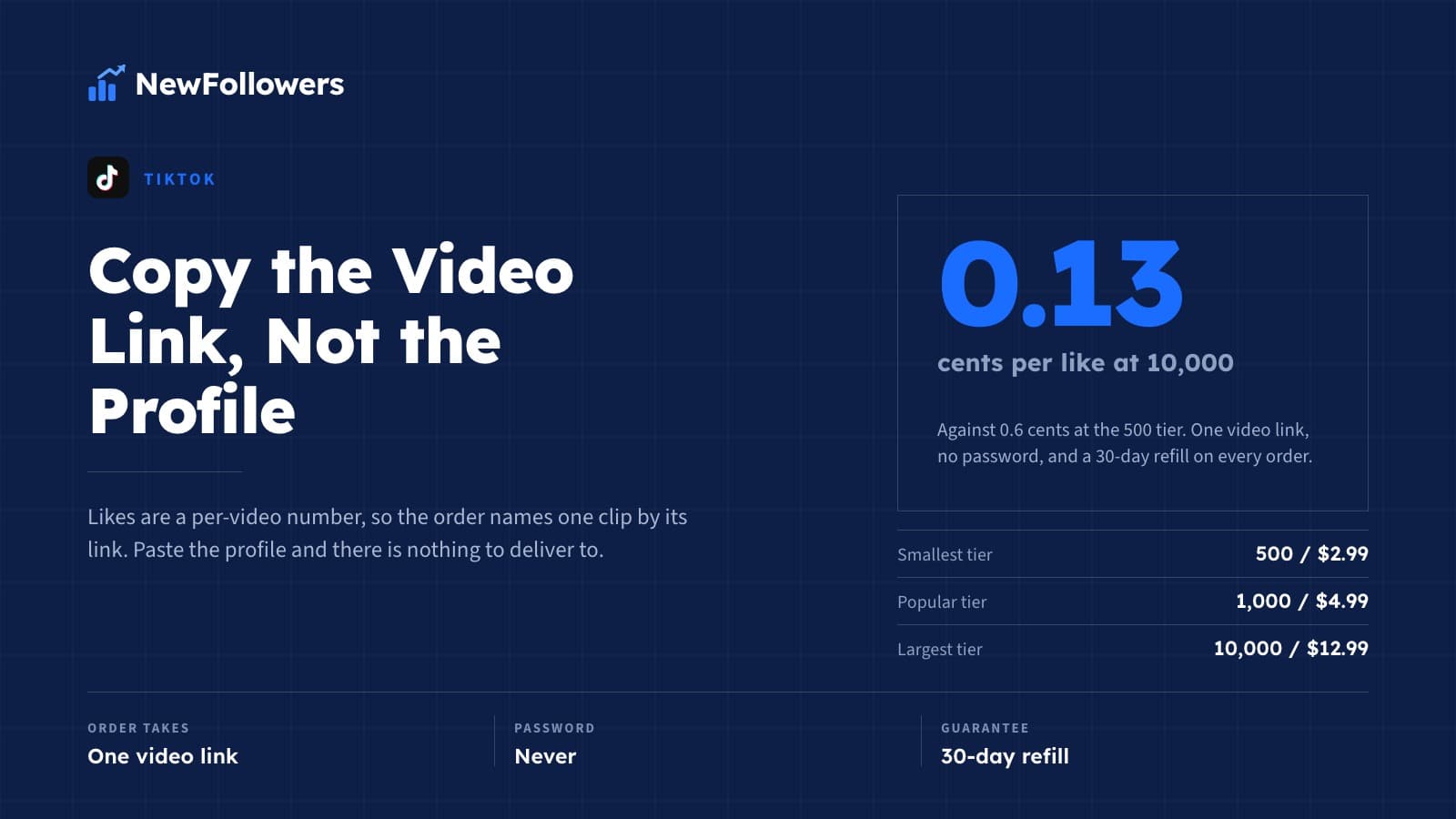
Packages run from $2.99 for 500 likes to $12.99 for 10,000, which is 0.6 cents a like at the smallest tier and 0.13 cents at the largest, and every order carries a 30-day refill. The rest of this page is the procedure in full: which link, how to size the order, what the form asks, and what happens after you pay.
Why the Order Takes a Link, Not a Username
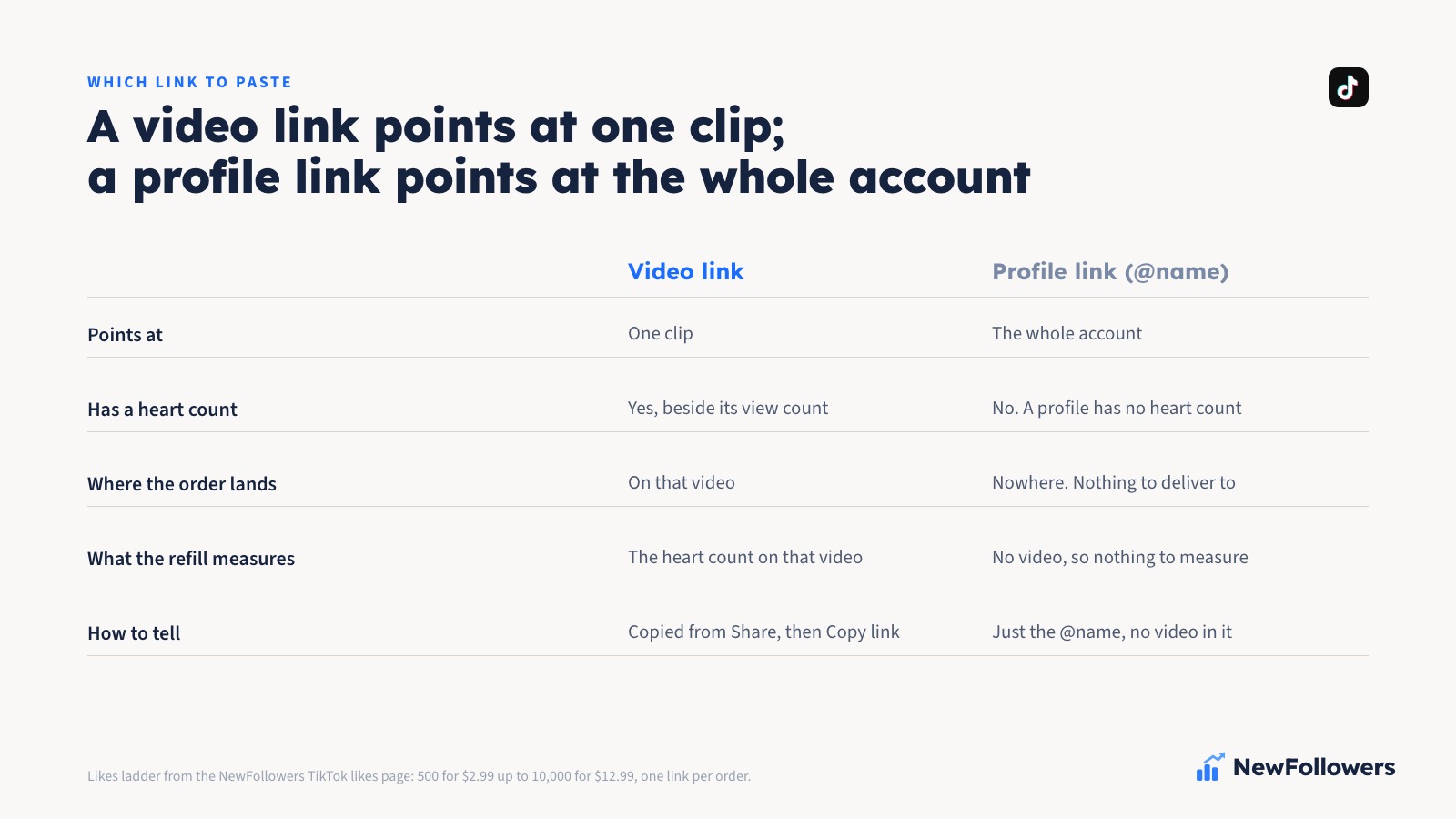
A TikTok profile has one follower count. Every video on it has its own heart count, its own view count, its own comment and share counts. Likes are a per-video number, so an order for likes has to name a video, and the only way to name a video is its link.
That is the split most people get wrong on a first order. Followers are placed against a profile, because the follower count lives on the profile; the followers guide covers that order and its own ladder. Likes, views, comments and saves are placed against a post. Paste a profile URL into a likes order and there is nothing for fulfillment to deliver to, because a profile does not have a heart count.
The same rule holds on any platform that counts engagement per post rather than per account. YouTube views go against a video URL for the same reason.
The Procedure, Step by Step
Publish the video first
A draft has no link. Post the video, make sure the account is public and the video is visible to anyone, then leave it that way until the order has finished. Delivery needs somewhere to land, and a video switched to private halfway through has no public heart count to add to.
Copy the share link
Open the video in the TikTok app, tap Share, and choose Copy link. Paste it somewhere you can read it before you go any further. A video link points at one clip; a profile link is just the @name and points at the whole account. If what you pasted has no video in it, you copied the profile, and the order will go nowhere.
If the link you copied is a short one rather than the long form, that is fine. It still points at the same video, and it should be pasted exactly as copied. Do not retype it, and do not trim anything off the end.
Read the view count before you choose a package
This is the step the sizing section below is about, and it is the one that decides whether the order looks like anything. Note the number of views on the video. The package you choose should sit comfortably under it.
Fill in the form
The likes page asks for one thing before checkout: the Post Link. Paste the video link into that field. Choose the package. Then the checkout takes the payment details and an email address for the receipt and the order ID.
That is the whole form. There is no login step, no password field, and nothing that asks for access to your TikTok account, because adding likes to a public video does not require access to the account that posted it. Any service that asks for a password at this stage is asking for something the job does not need.
After you pay
The order is fixed to the link it was placed with. The likes are delivered to that video and spread across the order rather than dropped in a single block, so the heart count climbs over the course of delivery instead of jumping in one step. Keep the video public and keep it up until the count has settled.
If you want a different number on the same video later, that is a second order to the same link. An order is not a subscription and nothing renews on its own; the ladder is one delivery, and further likes mean placing another one.
Sizing Against the View Count
On TikTok the like count sits directly beside the view count, on the same video, in the same column of icons. Nobody reads either number alone. They read the pair, and what the pair says is how many of the people who watched this decided to tap the heart.
That ratio is the whole of the sizing question. A video showing 1,000 likes and 500 views is self-refuting, because more people have approved of it than have opened it. A video showing 500 likes on 5,000 views reads as a clip that landed with the people who saw it. A video showing 10,000 likes only makes sense on a clip whose view count is well past that already.
So the rule is simple to state. Choose the package by the view count, not by the budget. If the video has fewer views than the smallest tier, the honest answer is that it is not ready for a likes order yet, and the number that needs to move first is views. Views are a separate order against the same link, and the likes-and-views post covers how the pair is sized when both are being bought.
A second thing to check is the rest of the profile. One video carrying 5,000 likes on an account where nothing else has any is more conspicuous than the empty heart count it was meant to fix. If the order is going on one clip, it should be a clip that already stands out from the others for a reason a viewer can see.
What the Ladder Costs
Four tiers, all for one video, all delivered the same way.
The per-like price falls steeply up the ladder, and that is where most sizing mistakes come from: the largest tier looks like the best value, and it is, but only if the video can carry it. The cheap likes post takes the price question on its own; this page is about the procedure, and the procedure says pick the tier the view count supports and no larger.
What a Purchased Like Does and Does Not Do
It moves one number: the heart count on the video whose link you pasted. That number is read by every first-time viewer who scrolls onto the clip, and a video already carrying likes reads as already approved before any of it has played. That is the reason the purchase works on the people it works on.
It does not bring views with it. Nobody sat through the video to leave the like, so the play counter stays where it was. It does not bring followers, because a like is not a follow and the follower count lives on the profile, not on the post. And it makes no promise about where TikTok shows the video afterward; no supplier controls that, and any page saying otherwise is selling something it cannot deliver.
Where the likes come from matters too, and it is a separate question from how to place the order. The real active users post is the quality angle; this page assumes you have settled that and just need to get the order right.
Mistakes That Cost the Order
Most failed likes orders fail at the form, not at delivery. The pattern repeats.
The Refill, and What It Measures
TikTok removes engagement it judges inauthentic, and when that happens the heart count on a video ticks back down. Every likes order carries a 30-day refill against exactly that: if the count on the video sits below what delivery left there, email support@newfollowers.net with the order ID and the number showing now, within 30 days of the order completing, and the difference is refilled at no charge.
What the refill measures is the heart count on the video the order was delivered to. That is why the mistakes above matter beyond the order itself. Delete the video, switch it to private, or post the clip again as a fresh upload, and there is no count left to compare against. The guarantee covers a number that fell; it cannot cover a number that was removed.
Before You Place the Order
Have the video open. Read its view count. Copy its link from the Share menu, paste it somewhere, and confirm it points at the video and not the account. Choose the tier the view count can carry. Then go to the TikTok likes page, paste the link into the Post Link field, pick that package, and pay.
The likes are delivered to that one video, paced across the order, with no password asked for and a 30-day refill behind the count. That is the whole procedure, and the only part of it that takes any judgment is the tier.
Frequently Asked Questions
How do I buy TikTok likes?
Publish the video, copy its share link from the TikTok app, then open the likes page and paste that link into the Post Link field. Choose a package sized to the video's view count and pay. The likes are delivered to that one video, paced across the order, and no password is asked for at any point. Packages start at $2.99 for 500.
Do I paste my profile link or the video link?
The video link. TikTok counts likes per video, so a likes order has to name one video, and a profile has no heart count for fulfillment to deliver to. Open the video, tap Share, choose Copy link, and paste exactly what was copied. If you notice a profile link after paying, email support with the order ID rather than placing a second order.
How many likes should I buy for one video?
Size the order against the video's own view count, not your budget. Likes sit beside views on the video and a viewer reads the pair, so 1,000 likes on 500 views is self-refuting while 500 likes on 5,000 views reads as a clip that landed. Keep the like count comfortably under the view count; if the video has fewer views than the smallest tier, it needs views first.
What does the order form ask for?
The Post Link, the package you want, and at checkout the payment details plus an email address for the receipt and order ID. There is no login step and no password field, because adding likes to a public video does not require access to the account that posted it.
How much do TikTok likes cost?
$2.99 for 500, $4.99 for 1,000, $7.99 for 5,000 and $12.99 for 10,000. That is 0.6 cents a like at the smallest tier, 0.5 at the next, 0.16 at 5,000 and 0.13 at the largest. Every tier is one delivery to one video link and carries a 30-day refill.
Do the likes arrive all at once?
No. They are spread across the order rather than dropped in a single block, so the heart count climbs over the course of delivery. It is a one-time delivery, not a subscription: nothing renews on its own, and more likes on the same video later means a second order to the same link.
What if the likes drop off the video afterward?
Every order carries a 30-day refill. If the heart count on the video sits below what delivery left there, email support@newfollowers.net with the order ID and the number showing now, within 30 days of the order completing, and the difference is refilled at no charge. The refill measures the count on the video the order went to, so a deleted, private or re-uploaded video leaves nothing to compare against.
Ready to Grow Your Social Media?
Real followers, instant delivery, 30-day refill guarantee. Pick your platform: