How to Buy YouTube Views: One Video, One Link, Four Sizes
Quick Answer
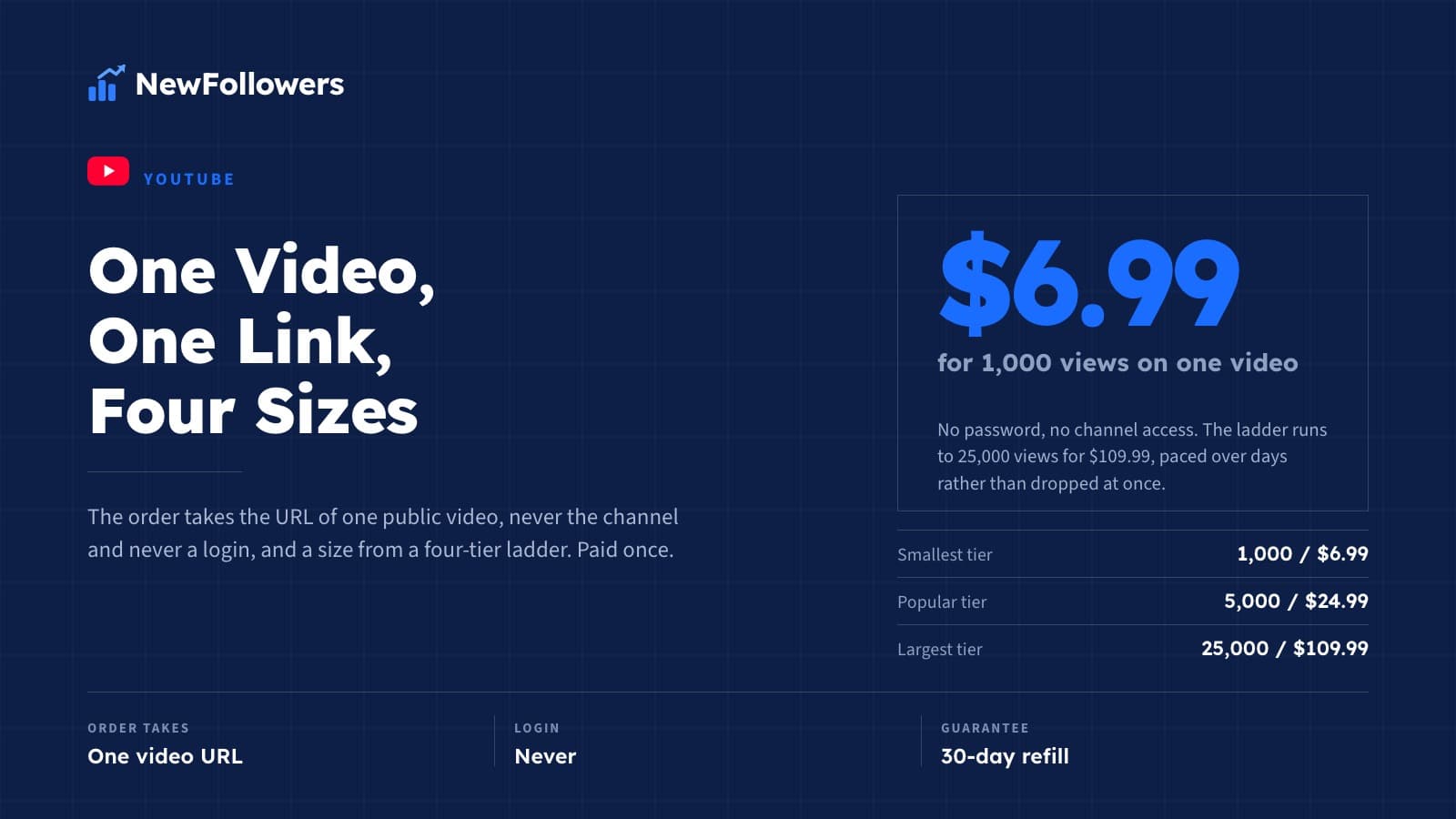
The order takes the URL of one public video, never the channel and never a login, and a size from a ladder that runs from 1,000 views for $6.99 to 25,000 for $109.99. Pay once and the views are delivered to that video, paced over days rather than dropped at once, with the count covered by a 30-day refill.
That is the entire procedure. The rest of this page walks through each step and the decisions inside it. If you want the case for buying views in the first place, that lives in the general YouTube views guide. This page assumes you have read something like it and now want to know what to actually do.
Can You Buy YouTube Views?
Yes. It is an ordinary purchase: you give a seller a public video link, pay for a quantity, and views are delivered to that video. Nothing about it requires access to your account, and nothing about it is hidden from you, because the number is on the video for anyone to see.
The question people usually mean when they type it is a different one: can you buy views and have it do what you are hoping for? The honest answer splits in two.
Hold both halves and the purchase makes sense. Drop the second half and you will be disappointed by a service that did exactly what it said.
Step One: The Video Link, Not the Channel
Views belong to a video, so the order takes a video URL. The link from the address bar while the video is playing works, and so does the short link the Share button gives you. Either identifies one video and nothing else.
What the order does not take:
The video needs to be public. A private video cannot be watched by anyone, which means it cannot be delivered to. If you have a launch scheduled, make the video public first and place the order after.
Step Two: Size the Order Against the Channel's Other Videos
This is the step the generic guides skip, and it decides whether the purchase looks like a strong video or a strange one.
Open the channel and look at what the other videos carry. That row of counts is the context every visitor reads the new number against. A video that sits above its neighbors reads as the channel's best work. A video that sits far above everything around it reads as an outlier, and people are good at spotting outliers.
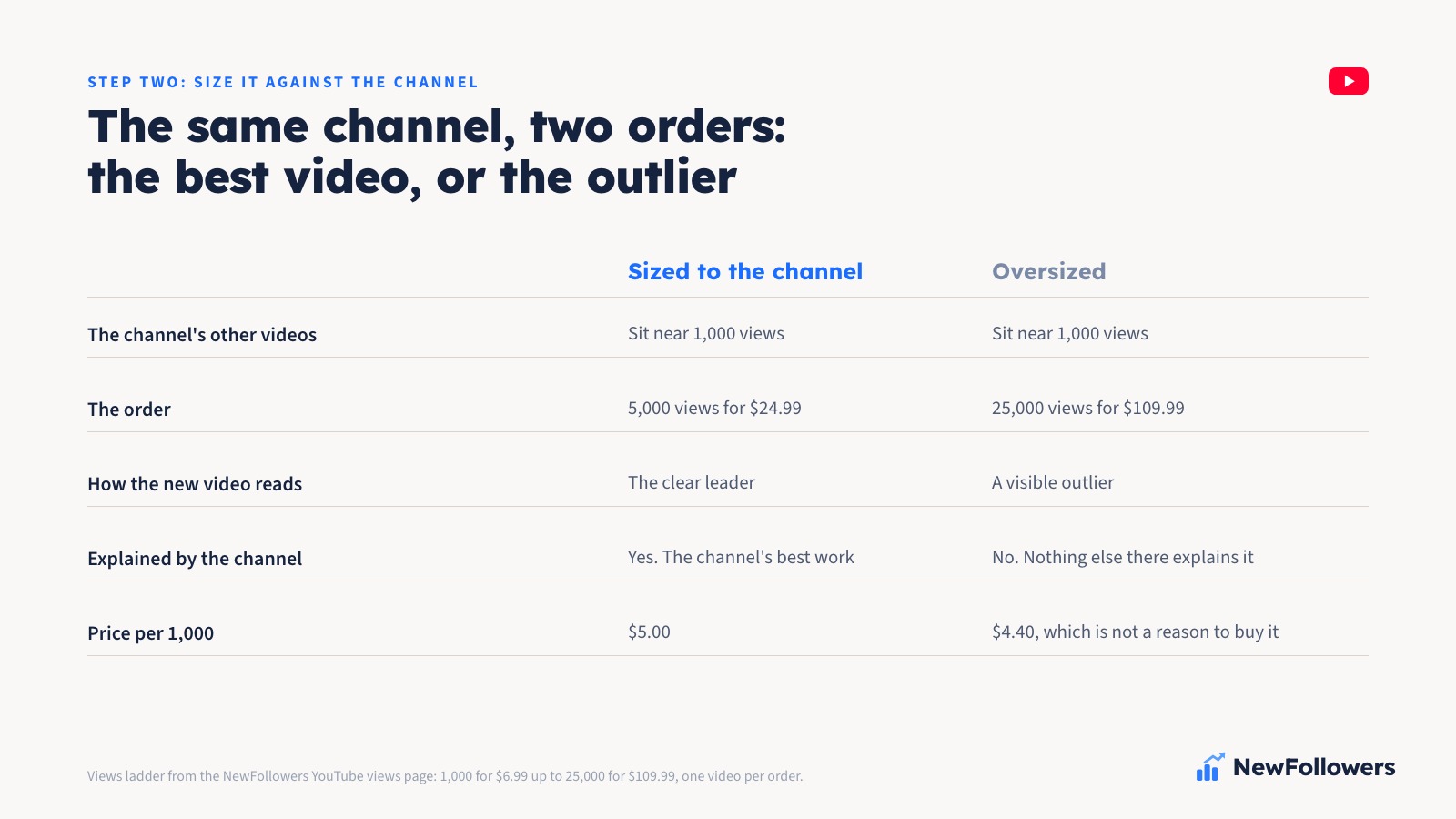
A working rule:
The 5,000 tier is the one most people choose, which fits: most channels placing this order have counts in the low thousands and want one video to stand out, not to stand apart.
Two more things to size against. A video with a large view count and no likes or comments beside it is a mismatch a visitor can see in one glance, so if the video has no engagement yet, consider whether the view count alone is the number you want to move. And the video's age matters: a count that arrives on a video posted yesterday reads differently from the same count on a video that has been up for months. Neither is wrong, but the second is quieter.
Step Three: The Ladder, and How to Read It
Four sizes, one video each:
The price is on the tier before you pay, and nothing is added at checkout. What it covers is a view delivered to one public video at a pace, with a 30-day refill behind the count afterward. What it does not cover is anything YouTube decides to do with that count, which no seller controls.
Read the shape of the ladder before choosing by price. Almost all of the discount happens between the first two tiers, where the per-thousand cost drops from $6.99 to $5.00. From 10,000 to 25,000 it only moves from $4.50 to $4.40. So buying the largest tier for the discount alone is a weak reason, and the sizing in Step Two should win over the pricing here. If the price is the deciding factor for you, the cheap YouTube views post works through that trade-off on its own.
Step Four: Checkout Without a Login
The YouTube views page asks for three things: the video link, the tier, and payment. That is the full form.
What it is not:
Check the link once before you pay. The most common mistake in this whole procedure is pasting the channel URL, or the URL of the wrong video from the same channel, and it is a mistake nobody can catch for you after the order goes in.
Step Five: What Paced Delivery Looks Like
After payment, the views begin arriving in stages rather than all at once. On the video itself, that means the count climbs over days. You can watch it move.
Pacing is how the order is delivered; it is not a claim about what YouTube will make of it. What we can say is what it looks like from your side: the count on a 5,000 order rises across the delivery window until it reaches the total, and then stops. It does not keep going, because there is nothing recurring behind it.
If you are placing the order to line up with something, a launch, a pitch, a sponsor conversation, allow for the delivery window rather than ordering the day you need the number. The count will not be complete an hour after checkout, and it is not supposed to be.
Step Six: The 30-Day Refill
Every order is covered for 30 days. If the view count drops below the total you ordered inside that window, the difference is refilled at no charge.
What that does and does not cover:
The refill is the reason to buy from a seller who states one. A count that dips with no refill behind it is a purchase that quietly shrinks, and you have no recourse. A count that dips with a refill behind it is a support ticket.
Which Order Fits Which Video
The procedure above is for a standard long-form video. A few cases sit slightly to the side of it.
None of these change the steps. They change which video you paste and what you expect from the number afterward.
Before You Paste the Link
Run through it once more, in order.
Do that and the order behaves the way it should: one video, one link, one paid delivery, and a number that stays put.
Frequently Asked Questions
Can you buy YouTube views?
Yes. You give the seller a public video link, pay for a quantity, and the views are delivered to that video. No account access is involved. What you cannot buy is anything YouTube does in response: placement, search position or subscribers are not for sale by anyone.
What do I need to give you to place the order?
The URL of one public video and payment. That is all. We never ask for a Google password or YouTube Studio access, because watching a public video does not require either.
How many views should I buy for one video?
Size it against the channel's other videos. If they sit near 1,000, the 5,000 tier makes the new video the channel's best without making it an outlier. If they already sit around 5,000, the 10,000 tier does the same job. Pick the size that fits the channel, not the size with the best per-thousand price.
How much do YouTube views cost?
1,000 views for $6.99, 5,000 for $24.99, 10,000 for $44.99 and 25,000 for $109.99. The 5,000 tier is the one most people choose. Each price is a single order on one video link, and the size that fits the channel matters more than the per-thousand discount.
Can I put views on a private or scheduled video?
No. A private or scheduled video cannot be watched by anyone, so there is nothing to deliver to. Make the video public first and place the order after. If the order is meant to line up with a launch, publish the video, then order, and allow for the delivery window.
Do the views arrive all at once?
No. Delivery is paced over days, so the count climbs on the video until it reaches the total you ordered and then stops. If you need the full number by a certain date, allow for the delivery window.
Is this a subscription?
No. Each order is a one-time delivery to one video. Nothing renews and no further views arrive unless you come back and place another order. The 30-day refill covers a count that drops below what you ordered inside that window.
Ready to Grow Your Social Media?
Real followers, instant delivery, 30-day refill guarantee. Pick your platform: